Features
Everything you need to run your projects
A professional Gantt engine we built ourselves, an AI that reads your documents and writes into the plan, day-to-day collaboration and enterprise-grade security. Simple by default, powerful on demand.
Planning
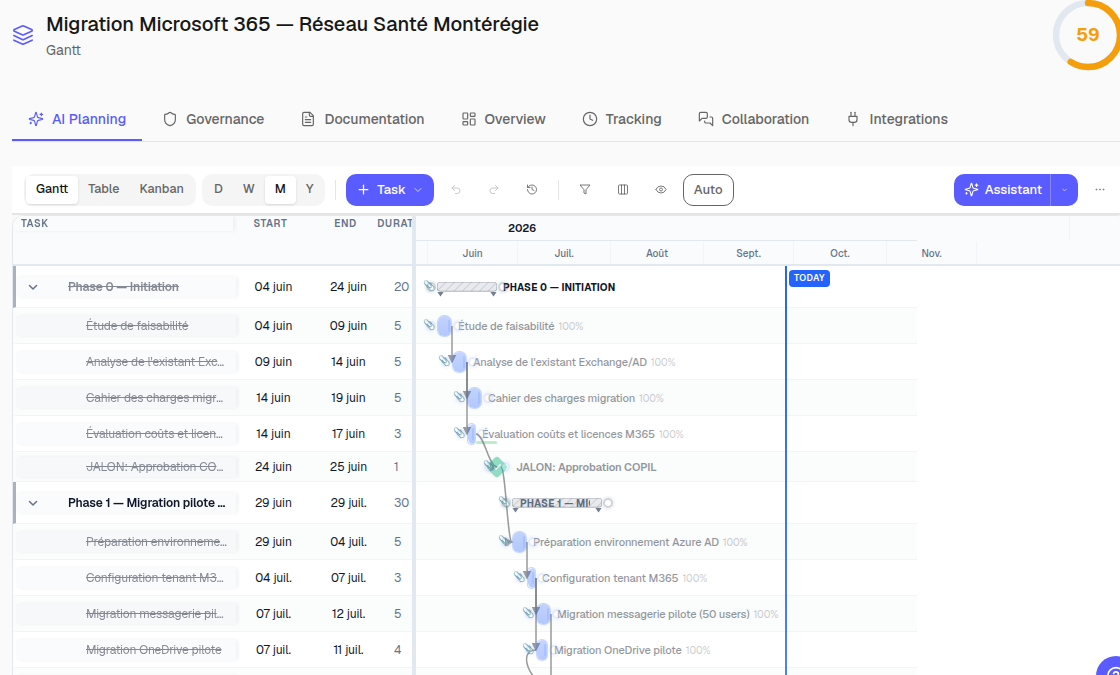
Interactive Gantt
Dependencies, drag and drop, bar stretching, day / week / month / year zoom, inline editing in the list. Smooth rendering past a thousand tasks.
Critical path
Identified automatically and shown in red; free and total slack computed on every task.
Baselines and versions
Freeze a baseline of the plan and compare it with actual progress; every write is journaled and can be undone for seven days.
Automatic rescheduling
When a task slips, the following dates cascade, respecting dependencies, constraints and working calendars.
Multiple views
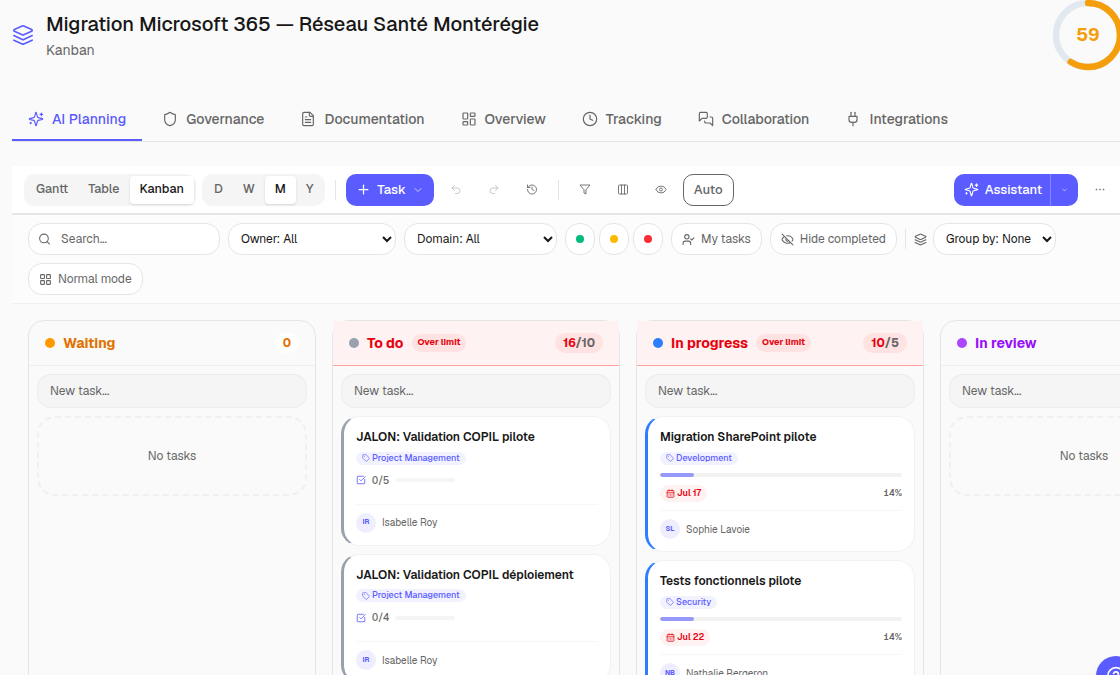
Gantt
Timeline view: progress bars, phases, milestones and dependency links.
Kanban
Columns by status, drag and drop, grouping by domain and filters.
List
Spreadsheet view: configurable columns, sorting, inline editing, CSV export.
Working calendars
Working days, public holidays, hours per day; effective durations follow.
Artificial intelligence
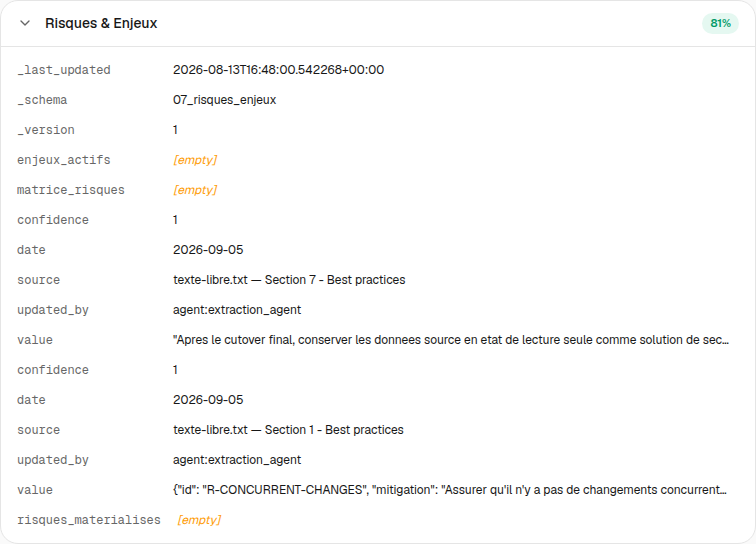
Ten specialised agents
One orchestrator, five experts (planning, risk, budget, technical, change), two validators (quality, compliance) and two guards (input, output).
Plan generation
Describe your project: the assistant creates phases, tasks and dependencies in a plan that remains editable and versioned.
Document ingestion
Drop your PDF, Word, Excel files and notes: the AI classifies them, extracts the data and fills the project sheets, source attached.
Contextual assistant
An assistant that knows your plan, tasks and constraints — and can write into the plan, with undo.
Planning summary
A summary for the planner: progress, critical paths, workload alerts, decisions to make.
Advanced features
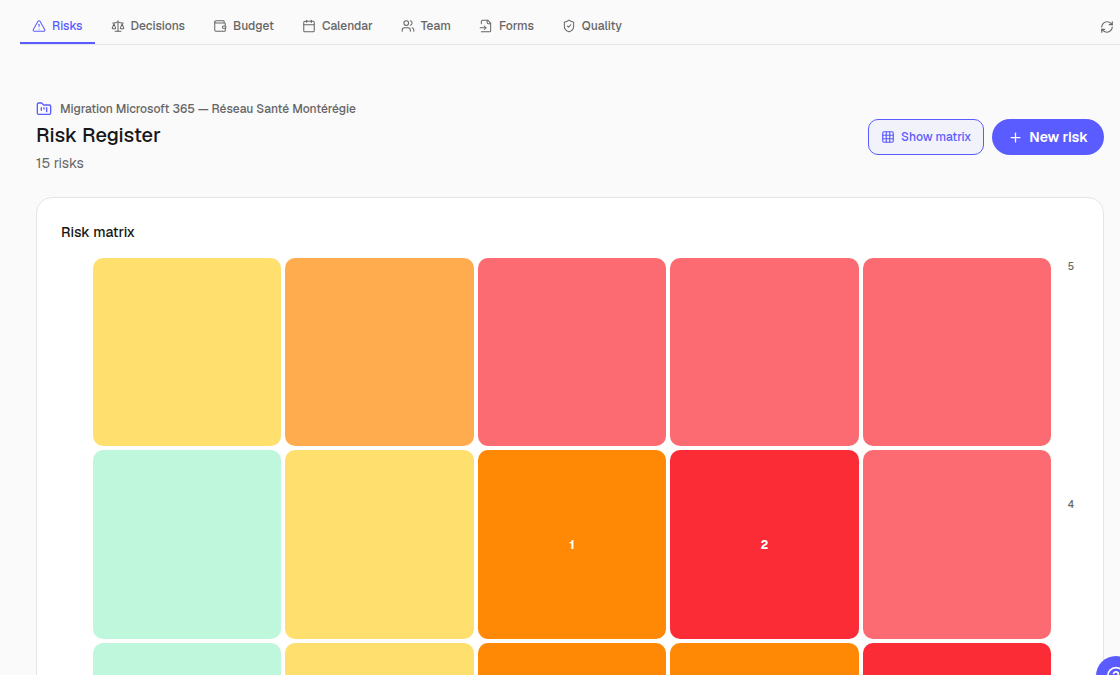
Design module
Scope, architecture, risks, budget, team, quality: the project sheets, filled by ingestion and checked by you.
Create from a project
Start from a project that worked: structure, roles, risks and planned budget carried over; dates re-anchored in working days; never the documents. Sector templates provided to get started.
Critical path computation
Forward and backward passes, slack, critical path — the critical path method, in an in-house engine.
Automation engine
Trigger – conditions – actions rules: notifications, status changes, escalations.
Collaboration
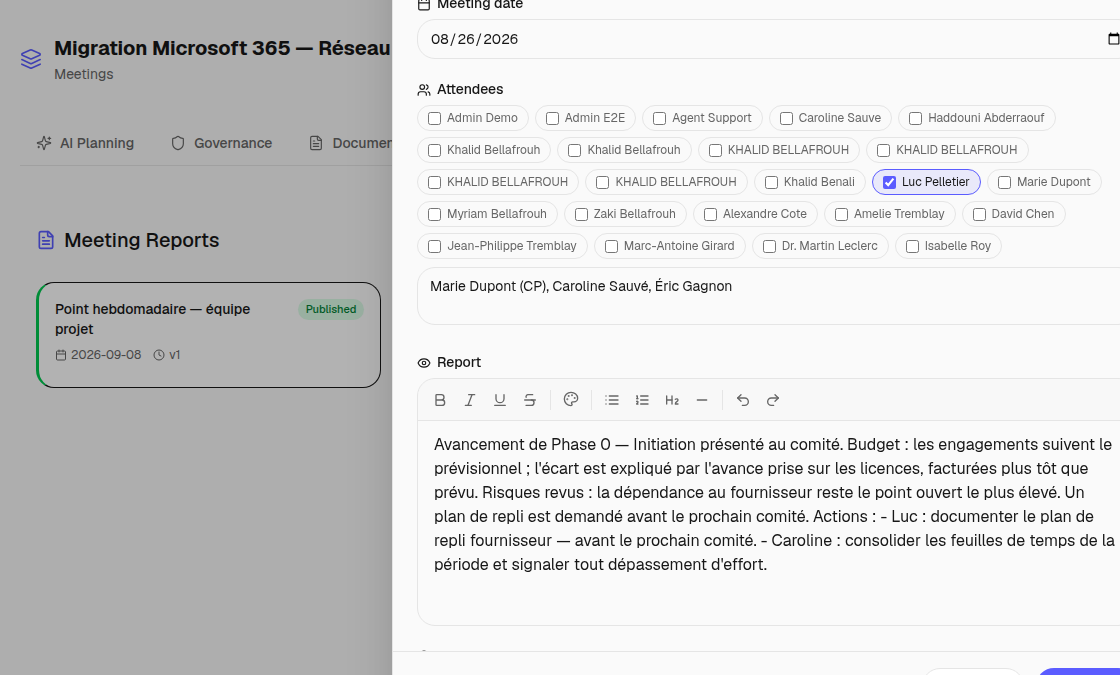
Team management
Directory per company, assignment by domain and role, workload view.
Meetings and minutes
Attendance ticked from the team, minutes written and published with their versions, decisions and actions attached to tasks.
Documents
Document management per project, access profiles, AI ingestion, secure storage.
Security and compliance
Workspace isolation
Every company is isolated down to the database (row-level security policies): no cross access is possible.
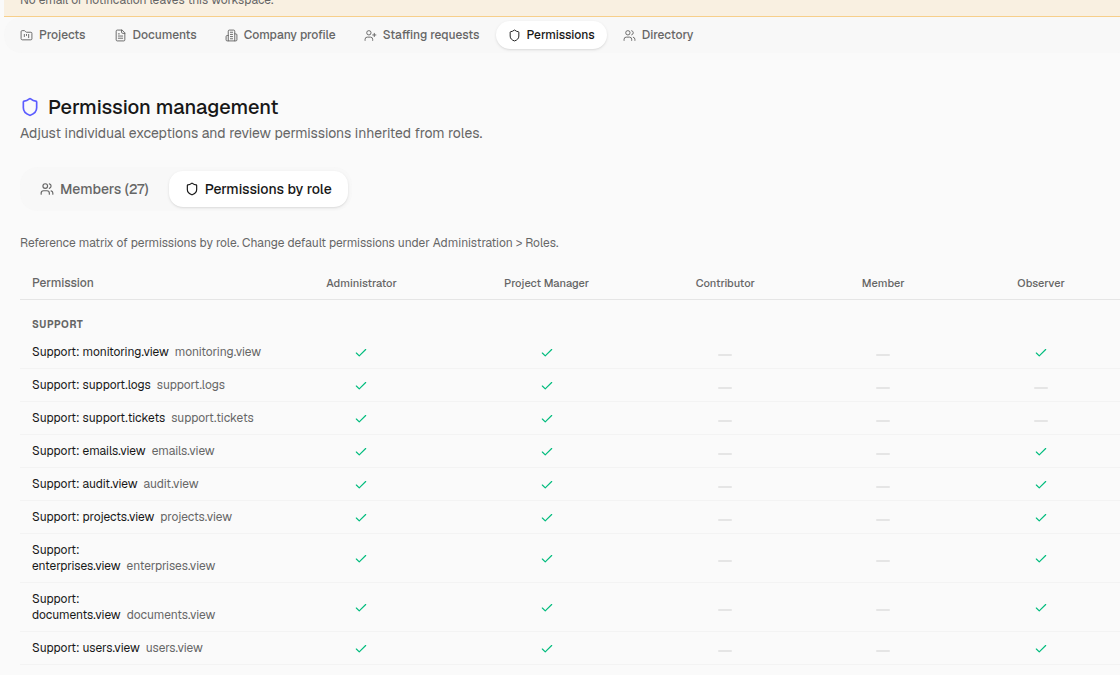
Roles and permissions
Five roles and sixty permissions, adjustable per project; distinct AI access levels.
Privacy controls
Access rights, consent and Canadian hosting provide controls for your own compliance program.
Complete audit trail
Every action is traced — logins, changes, approvals — in exportable logs.
Ready to try?
Create your workspace and explore the available capabilities.